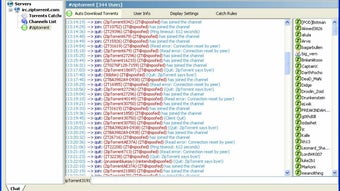



Download ZipTorrent – Free Secure Peer‑to‑Peer File Sharing Tool for Windows
Overview
ZipTorrent is a lightweight, free Windows application built by the Zip Torrent Development Team to simplify peer‑to‑peer (P2P) file sharing. Positioned in the Internet & Network software category, ZipTorrent offers a straightforward way to exchange documents, media, and large data sets across a local network or the broader internet. Its design philosophy centers on usability: a clean, uncluttered interface that welcomes newcomers while still delivering the depth that seasoned users expect from a modern P2P client.
Security is baked into the core of the program – files are transferred using encrypted channels, and the app includes built‑in safeguards against accidental exposure of private data. Because it runs natively on Windows, ZipTorrent integrates with the operating system’s networking stack, ensuring fast, reliable transfers without the need for additional drivers or third‑party plugins. Whether you’re a student needing to share lecture recordings, a small business moving design assets, or a hobbyist looking to distribute open‑source projects, ZipTorrent provides a free, secure, and efficient solution that eliminates the hassle of email size limits or bulky cloud‑storage subscriptions.
Key Features of ZipTorrent
- Drag‑and‑Drop Sharing: Add files to the transfer queue simply by dragging them onto the main window, eliminating the need for manual file selection.
- End‑to‑End Encryption: All transfers are encrypted with AES‑256, protecting data from eavesdropping on public or unsecured networks.
- Selective Peer Connection: Choose specific peers or groups, giving you full control over who receives your files.
- Bandwidth Throttling: Set upload and download limits to keep your internet connection stable for other tasks.
- Resume Capability: Interrupted transfers can be resumed without starting over, saving time and bandwidth.
- Integrated Transfer History: A detailed log shows timestamps, file sizes, and peer addresses for every completed share.
- Cross‑Version Compatibility: Works seamlessly with older Windows versions (7, 8) while taking advantage of performance enhancements in Windows 10/11.
- Zero‑Cost Licensing: Completely free for personal and commercial use, with no hidden fees or mandatory upgrades.
- Automatic Updates: The app checks for the latest security patches and feature enhancements, prompting you to download and install with a single click.
- Lightweight Footprint: Consumes less than 30 MB of RAM during active transfers, leaving the majority of system resources available for other applications.
Installation, Usage & Compatibility
Step‑by‑Step Installation Guide
Getting ZipTorrent up and running on your Windows PC is designed to be as quick as possible. Follow these steps for a smooth installation:
- Download the Installer: Visit the official ZipTorrent website and click the “Download for Windows” button. The file is a small
.exepackage (approximately 8 MB). - Run the Installer: Double‑click the downloaded file. Windows will prompt you for permission – click “Yes” to allow the installer to make changes.
- Choose Installation Options: The wizard offers a default installation path (C:\Program Files\ZipTorrent). You can accept the default or select a custom folder.
- Complete Setup: Click “Install” and wait a few seconds while the program copies files and registers necessary services. Once finished, you’ll see a “Launch ZipTorrent” checkbox – keep it checked and click “Finish.”
- First‑Run Configuration: On the first launch, ZipTorrent asks for a username (your peer ID) and optionally a password for encrypted peer connections. Fill in the fields and press “Save.”
How to Share Files Securely
After installation, sharing a file is a matter of a few clicks. Open ZipTorrent, then:
- Click the “Add Files” button or simply drag the desired file(s) onto the main window.
- Choose the peers you want to send the file to from the “Available Peers” list. You can also create a new group for recurring collaborations.
- Set any bandwidth limits or encryption preferences in the “Transfer Settings” pane.
- Press “Start Transfer.” The progress bar will display real‑time status, and the log will record each step.
- When the transfer completes, both sender and receiver receive a confirmation message, and the file appears in the recipient’s “Incoming” folder.
ZipTorrent is compatible with Windows 7, Windows 8, Windows 10, and Windows 11 (both 64‑bit and 32‑bit editions). The application leverages native Windows networking APIs, so no additional runtimes (such as .NET Framework) are required beyond what ships with the OS.
Troubleshooting Common Issues
If you encounter connectivity problems, verify that your firewall allows ZipTorrent’s executable (ziptorrent.exe) to communicate on ports 6881‑6889. Most modern routers support UPnP, which the app can use automatically to open the necessary ports. For corporate environments with strict proxy rules, consult your IT administrator to whitelist the application.
Pros, Cons and Frequently Asked Questions
Pros
- Completely free with no hidden costs.
- Strong AES‑256 encryption protects data in transit.
- User‑friendly drag‑and‑drop interface reduces learning curve.
- Resume capability ensures large files can be transferred reliably.
- Low system resource usage keeps your PC responsive.
- Automatic update system keeps security patches current.
- Selective peer selection offers granular control over sharing.
Cons
- Lacks built‑in cloud storage; files must be kept locally until transferred.
- No mobile app versions (iOS/Android) are currently available.
- Advanced users may miss features like magnet link support found in larger P2P clients.
- Relies on manual peer discovery; no built‑in public tracker network.
FAQ
Is ZipTorrent really free?
Yes. ZipTorrent is offered under a free‑to‑use license for both personal and commercial purposes. There are no hidden subscription fees or premium tiers.
How secure are the transfers?
All file transfers are encrypted with AES‑256, the same standard used by major banking platforms. Additionally, you can enable password protection for individual peer connections.
Can I use ZipTorrent on a Mac or Linux machine?
At the moment ZipTorrent is a Windows‑only application. The development team has expressed interest in creating macOS and Linux versions, but no release date has been announced.
What happens if my internet connection drops during a transfer?
ZipTorrent’s resume capability stores transfer checkpoints. When the connection is restored, the software automatically resumes the transfer from the last verified byte, preventing duplicate data transmission.
Do I need to open ports manually in my router?
In most cases ZipTorrent will use UPnP to open ports 6881‑6889 automatically. If UPnP is disabled, you can manually forward these ports or configure the app to use a custom port range.
Conclusion & Call to Action
ZipTorrent delivers a surprisingly robust peer‑to‑peer experience for Windows users who want a free, secure, and uncomplicated way to share files. Its blend of AES‑256 encryption, resume support, and a minimalistic drag‑and‑drop UI makes it an attractive alternative to heavier, ad‑laden alternatives. While the lack of mobile apps and a public tracker network may limit its appeal for power users, the core functionality is more than sufficient for everyday file‑sharing scenarios—whether you’re moving large design assets between office workstations or distributing open‑source code within a development team.
The low system footprint ensures that ZipTorrent won’t compete with your primary applications, and the automatic update mechanism guarantees that security stays current without manual effort. For anyone seeking a cost‑free, Windows‑native solution that respects privacy and simplicity, ZipTorrent is a solid choice. Download it today, set up your peer network, and experience fast, encrypted file transfers without the usual hassle.
Ready to streamline your file sharing? Click here to download ZipTorrent now and start sharing securely in minutes.







